Generate AI Images from Claude with AIGE's MCP Server
Most image-generation MCP servers give your assistant a one-shot tool: describe a picture, get a picture, move on. Ask for the same character in a different scene and you're rolling the dice again: new face, new proportions, new everything. AIGE's MCP server does the one thing the others don't: pass a characterId and every generation after the first uses that character's saved face as its reference. That's what makes "generate Aurora on a beach" and "generate Aurora in a library" actually look like the same person.
This is a setup-to-first-generation tutorial for developers and power users running Claude Desktop, Claude Code, or Cursor. By the end you'll have a working connection, one real image, and a character that stays consistent across requests.
Step 1: Get an API key
Go to aige.ws/api-keys and create a key. You'll name it (something like "Claude Desktop" or "n8n production" is fine, it's just for your own reference later), and optionally set an expiry (never, 30 days, 90 days, or 1 year).
If this is the first API key on your account and your email is verified, AIGE grants a one-time bonus: 100 free credits, enough for roughly 30 images or 5 videos. The key is shown exactly once, so copy it before closing the dialog.
Step 2: Add the server to Claude
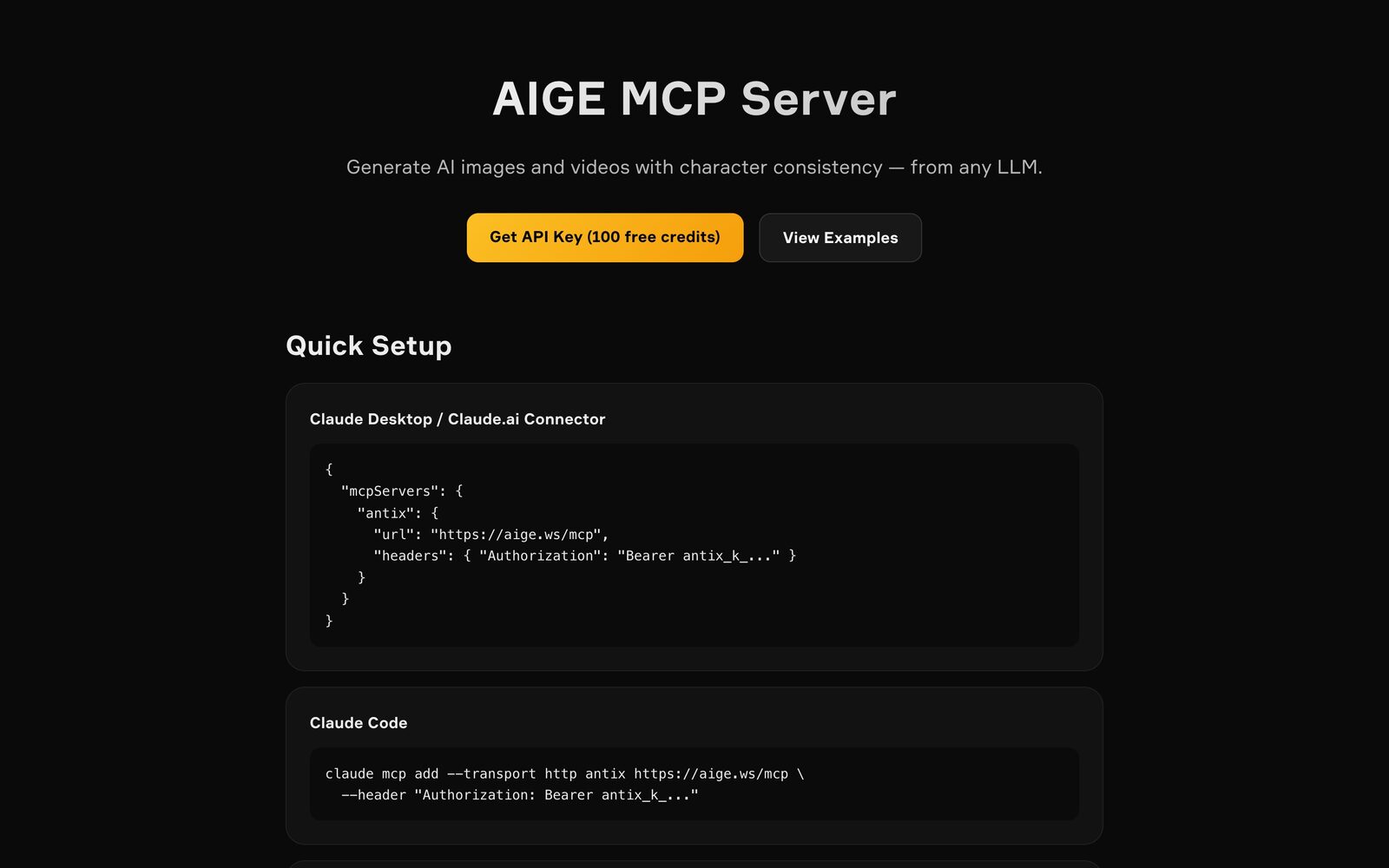
AIGE's MCP server speaks Streamable HTTP at a single endpoint, authenticated with your key as a bearer token. For Claude Desktop or the claude.ai connector, add this to your MCP config:
{
"mcpServers": {
"antix": {
"url": "https://aige.ws/mcp",
"headers": { "Authorization": "Bearer antix_k_..." }
}
}
}Replace antix_k_... with the raw key from Step 1. For Claude Code, skip the config file entirely and run:
claude mcp add --transport http antix https://aige.ws/mcp \
--header "Authorization: Bearer antix_k_..."Cursor uses the same JSON shape as Claude Desktop, dropped into its own MCP config file. Restart the client after adding the server so it picks up the new connection. The full tool list and current models live at aige.ws/mcp-info if you want the reference open in a second tab.
Step 3: Generate your first image from chat
Once connected, just ask in plain language. There's no need to know tool names or parameters up front:
Generate a photorealistic portrait of a woman in a rooftop garden at golden hour, 9:16, using nano-banana-2
Claude calls antix_generate_image, which queues the job and returns a taskId in under a second. Image generation is async by design, since a synchronous 10–25 second wait would exceed some MCP clients' HTTP timeout. Claude then polls antix_check_task until the status flips to completed, at which point the response includes a direct image URL and a ready-to-paste Markdown embed so the picture renders inline in your chat, not just as a link.
Nine models are available at generation time, from the 4-credit nano-banana-lite for quick drafts to nano-banana-pro for the highest-fidelity, complex-scene work. You can name a model explicitly, or leave it out and let the request fall back to the 8-credit nano-banana-2 default.
Step 4: Keep one character consistent across requests
This is the part that's actually hard to find elsewhere. Ask Claude to list your characters:
What characters do I have saved in AIGE?
That calls antix_list_characters, returning each character's id, name, and current avatar. Now generate with that id attached:
Generate Aurora walking through a neon-lit city street at night, characterId aurora_8x2
The server reads that character's saved avatar (or the latest image in their reference gallery, if you've built one up) and uses it as an img2img reference automatically. You don't forward any image bytes yourself. Every subsequent generation with the same characterId pulls the same reference, so the face holds steady scene after scene. If you want a deeper walkthrough of building and managing characters, see the consistent AI characters guide.
Step 5: Generate video, and check credits before you spend them
Video works the same async pattern as images, just longer: antix_generate_video returns a taskId immediately, and the underlying job typically finishes in 30–90 seconds. Poll it with the same antix_check_task tool used for images. Status moves through queued → processing → completed (or failed, in which case credits are refunded automatically). Available models include kling-v3, veo, and seedance, in 5, 8, or 10-second durations, and the starting-frame logic mirrors images: pass an explicit source image, or point at a characterId to carry a face into motion.
Before you queue a run of generations, ask Claude to check your balance:
How many AIGE credits do I have left?
That's antix_get_credits. It returns your balance, plan, and daily free allowance. All MCP usage draws from your existing AIGE balance, the same pool the web app uses, so there's nothing separate to track. Run low mid-conversation and a generation call will return an INSUFFICIENT_CREDITS response with a purchase link included, rather than failing silently. For the mechanics of how credits are priced and spent, see how AIGE credits work.
Quick answers
Question | Answer |
|---|---|
Do I need to know the tool names? | No. Describe what you want in plain language and Claude picks the right tool. |
Why does image generation return a taskId instead of the image right away? | Generation takes 10–25 seconds for images and 30–90 for video; the server queues the job and Claude polls for the result so no request times out. |
How do I keep the same face across generations? | Pass the character's |
What happens if a generation fails? | Credits are refunded automatically; the task status reports |
Does MCP usage use a separate credit balance? | No. It charges your existing AIGE balance, same as the web app. |
Can I publish results without leaving chat? | Yes. |
Do this next
Grab your key at aige.ws/api-keys. If it's your first one, you'll start with 100 free credits already loaded. Paste the config into Claude, ask for one image to confirm the connection, then try the characterId pattern from Step 4 on your own character. That's the difference this server is actually built around.
Comments
Be the first to comment.