Making an AI short film means combining a consistent cast, cinematic camera motions, and multi-shot pacing on a single video timeline. With AIGE, you build character profiles, generate five to fifteen second clips using Kling V3 or Veo 3.1, and edit the final cut on the Canvas without external video software. The entire workflow happens in your browser with no local GPU requirements.
Most independent creators struggle with AI filmmaking because they try to generate entire scenes in one prompt or string together random disconnected clips. A real film requires scene structure, camera language, and lighting continuity. Here is how to direct and produce a cohesive three-minute short film from your first concept to final export.
Step 1: Lock your visual style and character identities
Before generating a single second of video, establish your visual world. Decide on your color grading, lens style, and lighting setup: for example, 35mm film grain, anamorphic warm lighting, and shallow depth of field.
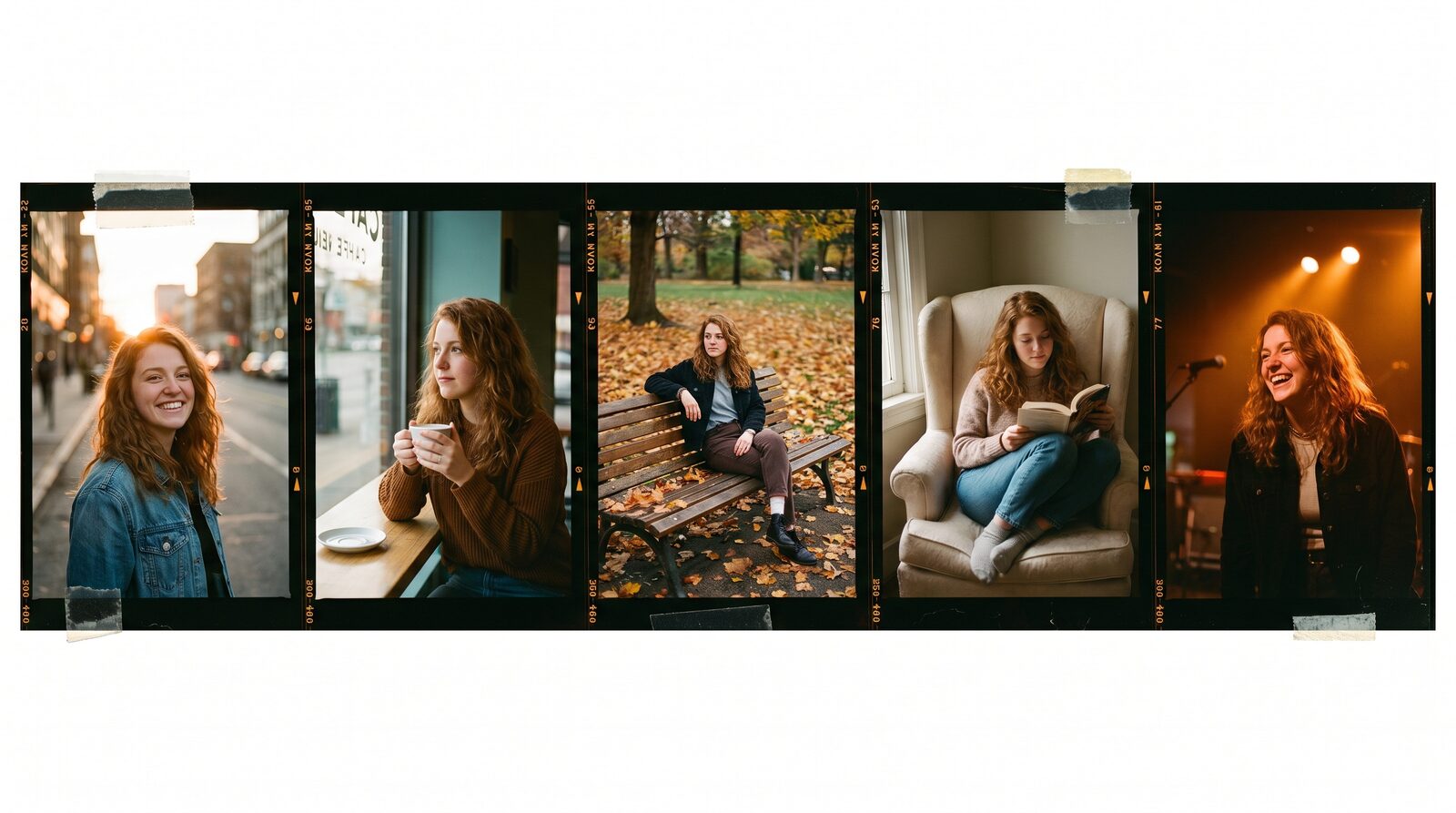
Next, create your protagonist using reference photos in the AI avatar platform. When you lock a character identity, AIGE preserves their facial likeness regardless of whether they are sitting in a dimly lit diner or walking through a rainy street. Reusing that character profile across every scene eliminates the identity shifts that take viewers out of the story.
Step 2: Generate starting frames with Nano Banana
Professional cinematographers compose every shot before rolling the camera. In AI filmmaking, you do this by generating start frames with Nano Banana 2 or Nano Banana Pro before triggering video models.
Drafting a still frame costs between 8 and 15 credits, compared to 56 to 160 credits for a video generation. This allows you to experiment with shot composition, rule of thirds, background elements, and costume details inexpensively. Once you have an approved frame, you feed it directly into the video model as your starting anchor.
Step 3: Direct camera movement and action on the timeline
Static AI video looks like a living photograph rather than cinema. To create genuine cinematic energy, specify deliberate camera movement in your motion prompts: slow dolly-in, tracking shot, pan left, or low-angle pedestal.
On the AIGE Canvas, drop your video widget directly onto the timeline. Choose Kling V3 Pro for complex human physical movement or Veo 3.1 for atmospheric environment shifts. If you need a camera move to arrive at an exact framing, use start and end frame interpolation to guide the trajectory of the lens.
Step 4: Bridge shots and extend clip durations
A common hurdle in AI video is scene duration. Most generative video models produce clips between four and ten seconds long. To build a longer continuous sequence without an awkward cut, use the extend and bridge tools on the Canvas timeline.
Select your rendered clip and press Extend to continue the action seamlessly from the final frame. For transitions between two camera angles, use the bridge function to generate an intermediate connecting shot that preserves motion momentum. This technique lets you build fluid twenty-second narrative sequences that feel intentionally directed.
Per-scene cost breakdown for an AI short film
Managing production budgets is straightforward when credit rates are transparent. Here is what typical scene setups cost across different models in AIGE:
Scene Type | Recommended Model | Resolution | Credit Cost | Plan Estimate |
|---|---|---|---|---|
Keyframe visual concept | Nano Banana 2 | 1K | 8 credits | Included across all plans |
Character dialogue (5s) | Kling V3 Pro with Audio | 1080p | 84 credits | Available on Starter & Pro |
Cinematic establishing shot (8s) | Veo 3.1 Fast | 720p | 120 credits | Available on Starter & Pro |
Action climax sequence (10s) | Kling V3 Pro | 1080p | 112 credits | Included on Pro & Premier |
Ambient scene extension (5s) | Seedance 2.0 Fast | 720p | 35 credits | Cost-effective filler |
A complete two-minute short film composed of twenty to thirty edited shots typically requires between 1,200 and 2,200 credits, fitting comfortably inside a monthly Pro or Premier plan without surprise billing.
Common filmmaking mistakes and how to fix them
Avoid the common traps that brand a project as amateur AI content:
Over-prompting motion: Trying to describe running, jumping, and talking in a single five-second clip causes visual distortion. Direct one primary action per shot.
Ignoring sound design: Silent footage feels artificial. Combine native model audio with subtle background room tone and foley tracks on the timeline editor.
Rapidly shifting color palettes: Maintain consistent lighting prompts like "dusk golden hour" across connected scenes so cuts feel natural.
Quick answers
Question | Answer |
|---|---|
What resolution does AIGE export for short films? | Clips can be generated in 720p, 1080p, and upscaled to 4K before final MP4 export. |
Can I add music and sound effects to my timeline? | Yes. The Canvas video editor includes audio tracks for background music, dialogue, and sound effects. |
Do I own the commercial rights to my short film? | Yes. You own the content you produce on paid subscription plans in accordance with our terms. |
Can I collaborate with a co-creator on the film? | Yes. The Canvas board supports sharing and team review so you can iterate on cuts together. |
Do this next
Open the AI video generator, outline your three-scene script, and generate your opening establishing shot. Once your first shot is rendered, assemble your sequence on the Canvas timeline to produce your complete film.

Comments
Be the first to comment.