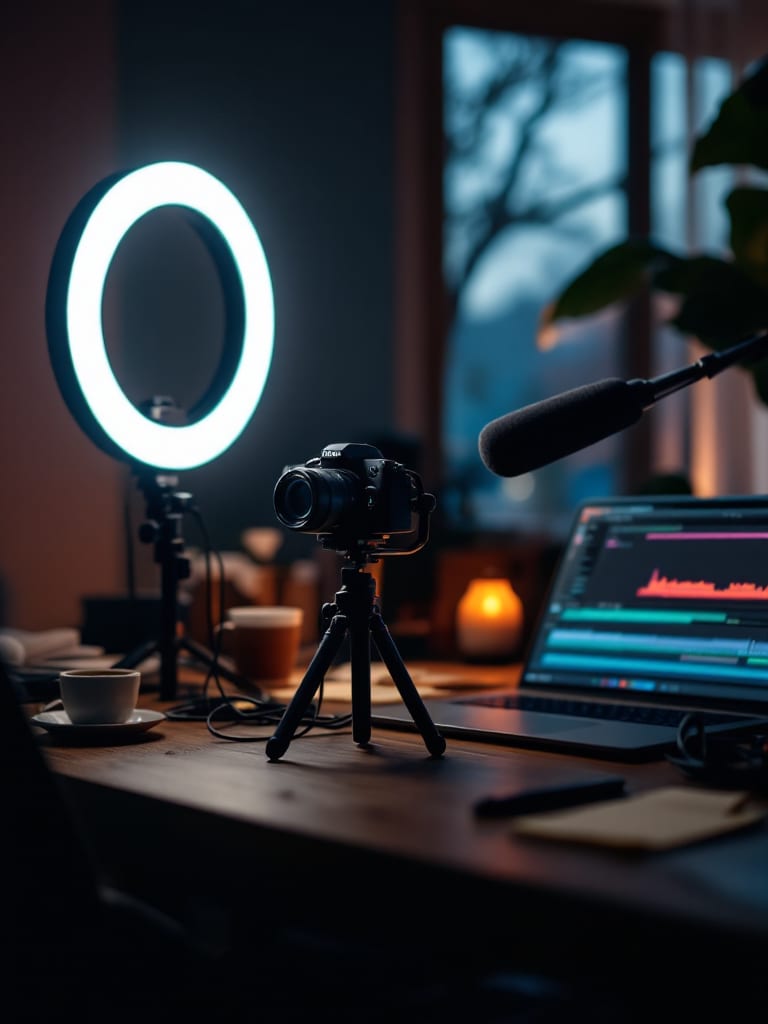
For YouTube, set the AIGE Canvas timeline to 9:16 for a Short or 16:9 for B-roll and intros, make clips of 3 to 30 seconds depending on the model, cut them together and export at 720p or 1080p. YouTube says a Short is square or vertical and up to three minutes.
What YouTube says about Shorts and wide video
These points come from YouTube's own Help pages, read in October 2026. YouTube changes them now and then, so check the page before you plan around a limit.
Shorts run up to three minutes. The upload page for a computer says a Short can be up to 3 minutes long and needs a square or vertical aspect ratio.
The frame decides the category. For standard channels, a square or vertical video of three minutes or less uploaded on or after 15 October 2024 is categorized as a Short. For content you do not want in Shorts, YouTube suggests a wider shape such as 16:9.
16:9 is the standard. The page on recommended upload settings says the standard aspect ratio for YouTube on a computer is 16:9. It also recommends the MP4 container.
So you choose the category when you choose the frame. Square or vertical and three minutes or less, and YouTube files it as a Short. Use a wide frame, and it stays an ordinary video. If ratio notation is new to you, what is an aspect ratio explains it.
Shorts: make 9:16 clips
In the Canvas, open the Make menu and choose Video, clips on a timeline. A new timeline starts at 9:16, a shape YouTube accepts for a Short. The Shape switch in the widget's header also offers 16:9, 1:1 and 4:5. YouTube's rule covers the square and vertical shapes, but 9:16 is the one every video model that makes a clip from words offers.
Pick a model and a length, write the shot, and the price shows on the button before you run it. A single clip runs 3 to 30 seconds depending on the model, and how long an AI video can be has the length for each one. A Short is the cut, not the clip. At YouTube's three-minute ceiling it takes at least six clips, because the longest single clip is 30 seconds.
To cut a Short from several shots, Storyboard in the editor's Make panel turns a shot list into up to eight clips in one run, and AI Storyboard in AIGE shows how to write the list. If you would rather start from a frame you chose, make the picture first and use image to video. On Kling V3, Seedance 2.5 and H3 Max the start picture sets the shape of the clip, so make it 9:16. The same vertical clips suit TikTok, and AI video for TikTok covers TikTok's own rules.
B-roll: make 16:9 clips and cut them together
For B-roll, switch the Shape to 16:9 before you make anything. A clip made in one shape and shown in another is cropped to fill the frame unless you set that clip to Fit, which shows all of it with black, blurred or white behind. The same models take both 16:9 and 9:16, so the shape is a per-video choice, not a model choice.
Then open the editor from the widget, with Open editor or a double-click. These are the tools B-roll leans on:
Trim and split. Pull a clip's ends in, or press S to split it at the playhead.
Order. Drag clips into sequence, or duplicate one to reuse a shot.
Speed. Anywhere from 0.25 times to 4 times, with chips for 0.5, 1, 1.5, 2 and 3.
Moves. Ten transitions between clips: Fade, Dissolve, Flash, Slide left, Slide right, Push up, Zoom in, Zoom out, Blur and Wipe, from 0.1 to 2 seconds long.
Looks. Filter presets such as Film, Vivid and Mono, applied to chosen clips or to all of them.
Sound. Add your own music file, or record narration over the cut while it plays from the playhead.
Export asks for 720 or 1080, which is the short side of the frame. A 16:9 timeline comes out at 1280 by 720 or 1920 by 1080, and a 9:16 one at 720 by 1280 or 1080 by 1920. The file is MP4 (H.264) where your browser can record it and WebM otherwise. Export plays the cut through once and records it in your tab, so it takes as long as the video runs and pauses if you leave the tab. It spends no credits, and the file lands on your board next to the video. For a deeper walk through the editor, see the video editor guide, and what is an AI storyboard covers planning the shots first.
Intros: a short clip with a title
An intro is two things on the timeline: a short clip and a title over it. Make the clip 3 to 5 seconds, since 3 seconds is the shortest on Kling and Omni Flash. Then open the editor's Text panel. The Title preset rises in, fades out and lasts 3 seconds. Subtitle, Caption, Label, Quote, Big number and Lower third are there too. Text lands at the playhead, and you type your own words in the inspector.
A picture can open the video instead. A picture added to the timeline lasts 3 seconds, and it can carry a slow Push in, Pull out or Pan. That suits a still you already have, such as a thumbnail frame or a logo card.
What a clip costs, with a worked example
The price follows the model, the length and the quality setting. It does not follow the shape: the price code takes no ratio, so a 9:16 clip and a 16:9 clip with the same model, length and settings cost the same. This table prices one 6-second clip at the settings the Canvas timeline starts with, and then ten of them.
Model | Settings | One 6-second clip | Ten clips |
|---|---|---|---|
H3 Max | 768P | 48 credits | 480 credits |
Omni Flash | 720p | 60 credits | 600 credits |
Kling V3 | Standard quality, sound on | 76 credits | 760 credits |
Seedance 2.5 | 720p | 278 credits | 2,780 credits |
The Kling V3 row is Standard quality with sound on. The Make panel has no sound switch, so Kling V3 clips are asked for with sound and the price includes it, even if you mute the clip afterwards. If your plan reaches only silent Kling V3 clips, a note by the button says so.
Plan reach matters too. In AIGE's default plan table, which can change, Starter does not include H3 Max or Seedance 2.5, makes Omni Flash at 360p rather than 720p, and stops Kling V3 at 5 seconds, so none of the rows above is on Starter at the settings shown. When a plan cannot make a clip, the button names the plan that can.
Ten clips take two Storyboard runs. A start picture is extra: a 1K Nano 2.1 picture costs 8 credits. The studio prints the exact price on the button before each run, and your plan can change the settings a model runs at, so trust the button over this table. The AI video cost page lists every model and length, and the Kling and Seedance pages cover those two families.
What YouTube asks of AI footage
Two YouTube policies matter for AI clips, as read in October 2026. The first is disclosure. YouTube requires creators to disclose AI-generated or altered content that looks realistic, such as a realistic scene that did not happen. Clearly unrealistic content, like a fantastical scene or an animation, and small aesthetic edits do not need the label.
The second is monetization. YouTube's channel monetization policies say reviewed content should not be mass-produced, generic or repetitive. The page names AI content made from generic or unoriginal templates, giving the impression of mass production, as an example of generic content. It gives AI used to visualize a character and story you invented as an example of original work. AIGE gives you clips and an editor. Whether a given video needs the label or qualifies for monetization is for YouTube's pages to decide, so read them before you upload.
Honest note: The Video widget and editor are on the laptop canvas. They export at up to 1080 on the short side, not 4K, and clips from the timeline are made at the studio's default settings, so a 1080 export sets the size of the frame without adding detail to a clip made smaller. AIGE does not upload to YouTube, so you upload the file yourself. It does not lip-sync, so a presenter who talks to camera has to come from your own camera. The YouTube rules above are from its Help pages in October 2026 and may have changed.
Quick answers
Question | Answer |
|---|---|
Can I make AI video for YouTube with AIGE? | Yes. Make clips at 9:16 or 16:9 from words or a picture, cut them on the Canvas timeline and export a video file. AIGE does not upload to YouTube, so you upload the export yourself. |
What aspect ratio is a YouTube Short? | Square or vertical, according to YouTube's Help pages. In AIGE, 9:16 is the vertical shape that every video model making a clip from words offers. |
How long can a YouTube Short be? | Up to three minutes, as of October 2026 on YouTube's Help pages. One AIGE clip runs 3 to 30 seconds, so a long Short is several clips on the timeline. |
What aspect ratio should YouTube B-roll be? | 16:9, which YouTube's Help calls the standard on a computer. Switch the timeline's Shape to 16:9 before you make clips. |
Is there an AI video editor for YouTube in AIGE? | The Canvas video editor, on the laptop canvas: trim, split, reorder, speed, ten transitions, text, looks, your own sound and export at 720 or 1080. |
How much does an AI clip for YouTube cost? | A 6-second clip costs 48 credits on H3 Max at 768P and 278 credits on Seedance 2.5 at 720p. Ten of them cost 480 to 2,780 credits. The shape does not change the price, and the button names the plan a model needs. |
Do I have to label AI video on YouTube? | If it looks realistic, YouTube requires you to disclose that it is AI-generated or altered. Clearly unrealistic content does not need the label. Read YouTube's disclosure page for your case. |






Comments
Be the first to comment.