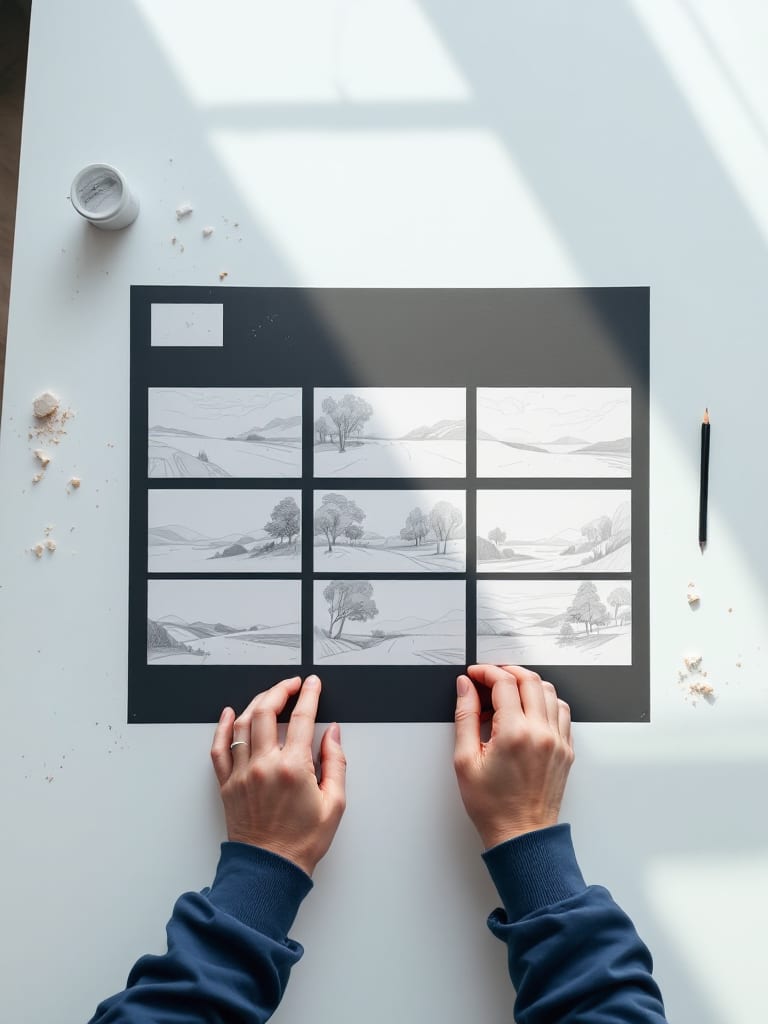
AIGE's Storyboard mode is not a frames generator. It turns a shot list of up to eight lines into one video clip per line, placed in order on a single timeline, and each clip is charged. You will find it in the Video editor on the laptop Canvas, under Make.
Open Storyboard mode
Add a Video widget. On the Canvas, open Make in the tool bar and choose Video. A Video widget lands on the board.
Set the shape. The widget header offers 9:16, 16:9, 1:1 and 4:5. A new widget starts at 9:16, and every shot is made in the timeline's shape, so choose it before you press anything that charges.
Open the editor. Press Open editor, then the Make tab. The widget's "More ways" link goes to Make directly.
Choose Storyboard. The Make tab starts with a row of seven chips: From words, Storyboard, From a picture, Between two shots, With references, Copy a movement and Restyle a clip. Press Storyboard and a one-line hint under the row says each line becomes a clip, in order.
The Video editor lives on the laptop Canvas, so this is a laptop job. The phone-versus-laptop guide lists what the phone board offers for video instead.
Write the shots
The mode has two text boxes and one model picker.
Shots, one per line. Press Enter between shots. A leading bullet, "1." or "1)" numbering, or "Shot 2:" is stripped and empty lines are skipped, so a pasted numbered list works. Only the first eight lines count and the rest are left out, so watch the count on the button.
The look for every shot (optional). One phrase, added to the end of each line. Use style words such as "muted film look, cold blue light, slow handheld camera", not story.
Model and length. One of each for the whole run. The editor starts on Kling V3 at 5 seconds, and Kling V3 runs from 3 to 15 seconds.
Every shot is sent on its own, so line four knows nothing about line one. Write each line so it can stand alone, and name your character the same way every time: "the keeper in a yellow raincoat", never "he". Keep each line to one beat: who or what, what it does, where the camera sits. A short scene might read like this.
The lighthouse keeper in a yellow raincoat climbs the spiral stairs at dusk
Close on the keeper's gloved hand turning the great brass lamp
Wide shot of the beam sweeping across a gray sea under heavy cloud
The keeper in a yellow raincoat sits with a mug of tea, watching the storm through the glassWhat each line becomes
A line becomes a text-to-video job, the same kind From words makes. The line, then your look phrase after a period, goes to the model at the length you picked. Nothing else goes with it. A Storyboard shot takes no start picture, no reference and no saved character, and nothing is drawn for you to approve before the clip is made.
One press of the button runs like this:
The shots start one after another, and the button counts them: "Starting 3 of 6…".
Each shot puts a clip on the timeline as it starts, in line order, after the clip you have selected or at the playhead. The clip holds its place while it renders and fills in when it is ready.
Each shot is charged as it starts. If your balance runs out, the run stops with "Stopped: not enough credits for the rest", and shots that never started cost nothing.
If your plan can't make the model and length you picked, the button names a plan where the price would be. Pressing it opens the plan sheet, and nothing is charged.
The lines stay in the box after a run. Clear them before you type the next scene, or the next press pays for the same shots again.
What a run costs
The button reads "Make 6 shots" with a total beside it: the price of one shot times the number of lines. Making clips needs a paid plan, but typing lines costs nothing, and the first charge comes when shot one starts. At the editor's default settings, five-second shots cost this:
Model, 5 seconds | Credits per shot | 6 shots | 8 shots, the most in one run |
|---|---|---|---|
H3 Max | 40 | 240 | 320 |
Omni Flash (720p) | 50 | 300 | 400 |
Kling 3 Turbo (Standard) | 56 | 336 | 448 |
Kling V3 (Standard, sound on) | 63 | 378 | 504 |
Seedance 2.5 (720p) | 232 | 1,392 | 1,856 |
Kling V3 is priced at its Standard tier with sound on, which is how the editor makes it. The Pro tier and silent clips have other prices. The picker lists more models than these five. The table uses the credit table's shipped prices and the button shows the live ones.
Plans differ in reach, so not every row is open to every plan. In the shipped plan table, Starter does not include H3 Max or Seedance 2.5, makes Omni Flash at 360p instead of the 720p priced here, and stops Kling V3 and Kling 3 Turbo at 5 seconds, so Kling V3 at 6 seconds needs a higher plan. When your plan cannot make the model and length you picked, the button names the plan that can in place of a price. When it can make a lower setting, a note under the button says what changed. Plan settings can change, so trust the button over this paragraph.
Test the look before you commit eight shots. Two lines at Kling V3 cost 126 credits and eight cost 504. A still costs far less: a 1K Nano 2.1 image is 8 credits and a Nano Lite image is 4 credits, so six stills come to 48 credits against 378 for six Kling V3 shots. A still shows framing and light, not motion.
After the clips land
Check each clip against its line. Play them in order on the timeline. A miss is one clip, not the whole run.
Make another take. Right-click a finished clip and choose Make another take. It reruns that clip as another paid clip, kept as an alternate take in the same place, and you switch takes in the inspector.
Start from a picture. For a shot that needs a particular person or framing, make a still in the AI image generator, then use From a picture, which starts the clip on that still. Check the clip against the still, since the motion can drift.
Join and trim. Between two shots makes a new shot that carries one clip into the next, and Extend with AI continues a clip from its last frame. Trim and order the rest on the timeline.
The definition, and the case for stills first, is in what is an AI storyboard. A whole film, from first idea to final cut, is in how to make an AI short film.
Honest note: Storyboard mode renders your shot list straight into clips. It has no board of stills to approve first, so the cheap check is one you make yourself with images. This article describes how the editor works as of October 2026 and shows no clips from it. Labels and prices can change, so trust the button.
Quick answers
Question | Answer |
|---|---|
Does AIGE have an AI storyboard generator? | Not a frames generator: Storyboard mode turns a shot list into clips. It is in the Video editor, takes one line per shot, up to eight, and places each clip in order on the timeline. |
Can I make storyboard frames in AIGE? | Not with Storyboard mode, which makes clips from text only. Make the stills yourself in the AI image generator, then start a clip from one with From a picture. |
How many shots can one storyboard have? | Eight per run. Lines after the eightth are left out, so run it again with the next scene's lines. |
How much does an AI storyboard cost? | One clip's price times the number of lines, shown on the button before you press it. Six five-second Kling V3 shots at the editor's defaults are 378 credits. |
Is there a free AI storyboard generator? | Not in AIGE. Writing the lines costs nothing, but every shot made is charged, and making clips needs a paid plan. |
Can a storyboard keep the same character in every shot? | Not by itself. Each line is a separate text-only clip with no picture, reference or saved character, so repeat the same description in every line or start the clip from a still. |
Where is Storyboard mode? | In the Video editor on the laptop Canvas: Make in the tool bar, Video, Open editor, the Make tab, then Storyboard. |





Comments
Be the first to comment.