Start with one product picture, animate it into three to five clips with From a picture in AIGE's Video editor, cut them together, add a Title and export. Three 5-second Kling V3 clips cost 189 credits. Small text and logos can come out wrong, so type your own words and upload your real logo.
Start from a picture of the product
Every clip in this ad starts from one picture, so decide first where that picture comes from. The Video editor is on the laptop Canvas, so this is a laptop job, and AIGE on phone vs laptop lists what the phone offers instead.
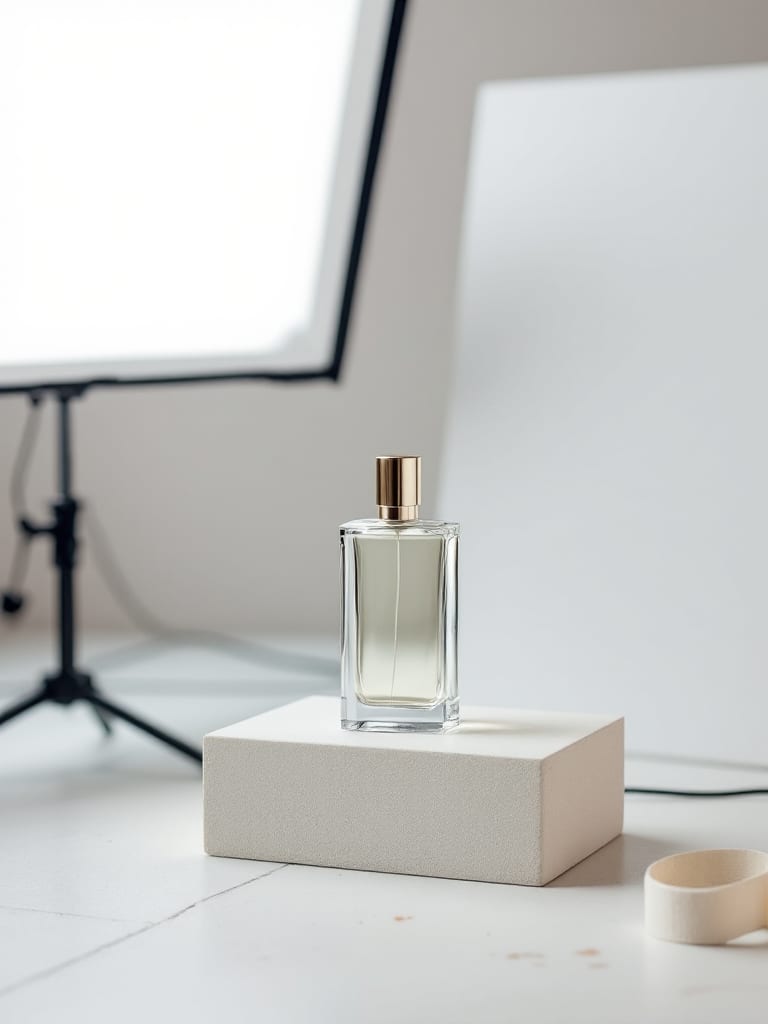
Your own photo. If the ad is for a real item, start from a real photo of it. In From a picture, the Start picture box has an Upload option, and the Media tab takes dropped files. A picture made by a model can look like a product, but it is a product the model invented, with a shape and a label nobody sells.
A made picture. To test a shot list before you shoot anything, make a still in the prompt island, the field that says "Ask for anything", and pick the model with the hexagon button beside the dial. AIGE's own model guide lists product shots among the jobs for Nano 2.1, and a 1K picture costs 8 credits. The picture lands on the board, where From a picture can find it. Which image model to pick in AIGE compares the tiles.
Brief the still the way you would brief a photographer: the object, the surface, where the light comes from, the camera angle. Leave lettering out of it.
A plain glass bottle with a black cap on a pale oak table, soft window light from the left, three-quarter view, shallow depth of field. No text, no labels, no logos.
Settle the shape now. The Video widget's Shape switch offers 9:16, 16:9, 1:1 and 4:5, and on Kling V3 a clip made from a picture takes its shape from that picture. Make or shoot the still in the shape of the timeline. A clip whose shape differs from the timeline's is cropped to fill the frame unless you set it to Fit in the inspector. What is an aspect ratio explains the shapes.
Animate it with From a picture
In the Video editor's Make tab, choose From a picture, set your product picture as the Start picture and write one move for the clip. The form opens on Kling V3 at 5 seconds, the settings priced below. Turn a photo into a video with AI has every step, Kling image to video covers the Kling versions in that form, and AI animation from one image covers how to word the motion.
For three to five clips from one photo, run it again with the same Start picture and a different move each time: a slow push-in while light slides across the glass, a drift to one side, a tighter look at one detail. Every clip then starts from the same picture, so they all begin with the same product. After that first frame the model draws the rest, so look at the shape, the color and any label in every clip.
Change it first redraws the start picture from a sentence, for 8 credits. On a photo of a real product that is a model redrawing your product, so check the result against the item before you use it. End on a picture makes a clip that moves from the start picture to a second one, say a wide shot to a close-up.
What text and logos do to a clip
Two sources, both read on 28 October 2026. AIGE's own image pages list the limits plainly: small text inside a picture can come out wrong, small logos can come out wrong, and AIGE does not generate logos, so your real one has to be uploaded. A start picture is an image, so those limits start with it.
A clip adds a second problem. Your picture is only the first frame, and the model draws everything after it. ByteDance's technical report for Seedance 2.0 (arXiv, submitted 15 April 2026) is a company's own benchmark of its model against rivals. Its text-to-video prompt-following tests score text overlay, short text and creative text as their own categories and rate Kling 3.0, the series behind Kling V3, low on them, in the same range as most of the other models it compares. Its image-to-video tests rank Kling 3.0 second, behind Seedance 2.0 only, on keeping the source image (3.18 against 3.31 out of 5). Neither measures a printed label on a product, so read the report as a reason to test and not as a verdict. What is Kling AI covers the versions. AIGE has no measurement of how often a label survives a clip, so test before you commit: a 3-second Kling V3 clip on your own picture costs 38 credits.
So keep the lettering out of what the model draws.
Words. Add them in the editor with the Title preset. The editor draws the words you typed, so they are spelled your way in every export. It offers four typefaces (Grotesk, Neutral, Serif and Mono), a size, a color and an optional box, not your brand's own font.
Your logo. Upload the real file in the Media tab. It joins the main track after the selected clip, or at the playhead, as a picture that lasts 3 seconds, so select your last clip first to make it the end card. On top puts it over a clip at the playhead instead. If your brand needs an exact lockup or typeface, build that end card elsewhere and upload it as a picture.
A label on the product. If your photo shows one, watch it through every clip, first frame to last. If it warps, right-click the clip and choose Make another take, or cut that stretch. A retake is charged again.
Cut the clips into an ad
Each new clip lands on the main track after the clip you have selected, or at the playhead. From there it is editing, and the cutting tools, the title and the export do not charge credits. Trim, split, speed, transitions and Looks work on an ad as they do on any cut, and AI video for YouTube lists them, with the export details and a price table for the other models. Two controls matter most for an ad.
Title. Open Text and press Title. It lands at the playhead, lasts 3 seconds, rises in and fades out. Type your own words in the inspector.
Sound. The editor asks Kling V3 for sound, and you can mute a clip in the inspector. The Audio panel also takes your own music file.
Export plays the cut through once and records it in your tab, so keep the tab open. AI video for TikTok covers TikTok's own rules for the file, and How long can an AI video be lists the clip lengths per model.
What a three-clip ad costs
Here is one ad with every setting named, from AIGE's credit table on 28 October 2026. The timeline is 9:16. The picture is one Nano 2.1 picture at 1K. The clips are three From a picture clips on Kling V3, each 5 seconds long, at Standard quality with sound on. The editor makes Kling V3 at exactly those settings, because it has no sound switch.
Step | Setting | Credits |
|---|---|---|
Product picture | Nano 2.1, 1K (skip it if you upload a photo) | 8 |
Three clips | Kling V3, 5 seconds, Standard, sound on: 3 × 63 | 189 |
Title, cutting, export | Done in the editor, no model | 0 |
The ad | 197 |
The button shows each price before you press it, and the shape does not change a price. Budget for retakes: Make another take reruns a clip as another paid clip, so one redo of one clip adds 63 more. If an agent turn makes the picture, its turn fee, which starts at 2 credits, comes on top. Manual has no turn fee.
Plan reach matters as well. In AIGE's default plan table, which can change, Starter includes the 1K picture and Kling V3 at Standard with sound for 3, 4 and 5 seconds, so this example sits inside Starter's reach. Six seconds and longer on Kling V3 need a higher plan. When a clip is past your plan, the button names the plan that can make it and charges nothing. Making pictures and clips needs a paid plan either way.
Who answers for the claims
Whatever the ad says or shows about the product is the advertiser's to back up, and a made clip can show a product doing things it does not do. In the US, the FTC says an ad must be truthful and not deceptive, and that advertisers need proof for a claim before the ad runs (its small-business advertising FAQ, edited January 2025, read 28 October 2026). That is not legal advice, and the rules differ by country and by platform. Check them for where you sell.
This article did not check any platform's rules for AI in paid ads, so read the policy of the ad platform you buy on. The YouTube and TikTok articles above cover the AI labels those two ask for on ordinary posts, not on ad placements. AIGE gives you a video file. Running it as an ad happens in the ad platform's own tools.
Honest note: This article shows no sample clips and promises no result: how well Kling V3 holds a shape or a label through a clip depends on your picture, and AIGE has no measurement of it. A picture made in AIGE is a product the model invented, not yours. Nothing here predicts sales or how an ad performs. Prices are from AIGE's credit table on 28 October 2026, and the button shows the live price.
Quick answers
Question | Answer |
|---|---|
Can AIGE make a video ad from a product photo? | Yes. In the Video editor on the laptop Canvas, choose From a picture, pick or upload your photo, write one move and run it. Cut three to five clips on the timeline, add a Title and export. |
Is there a free AI ad video generator? | Not in AIGE. Every picture and clip made is charged in credits, and making needs a paid plan. The price shows on the button before you run. |
How much does an AI product ad cost? | Three 5-second Kling V3 clips at Standard quality with sound on cost 189 credits. A 1K Nano 2.1 picture adds 8, so 197 in all. Cutting, the title and export charge nothing. |
Will my logo and product label look right in the clip? | Not guaranteed. Small text and logos can come out wrong in a picture, and a clip only starts from your picture. Type words with the Title preset, upload your real logo as a picture and check every clip. |
Can I use my own product photo? | Yes. In From a picture, upload it as the Start picture. For a real item that is the better start, because a made picture shows a product the model invented. |
How long can the ad be? | A Kling V3 clip runs 3 to 15 seconds, and the ad is the cut of several clips on the timeline. Three 5-second clips make up to 15 seconds before trims and transitions. |
Where is the Video editor? | On the laptop Canvas: open Make in the tool bar, choose Video, then press Open editor. |




Comments
Be the first to comment.