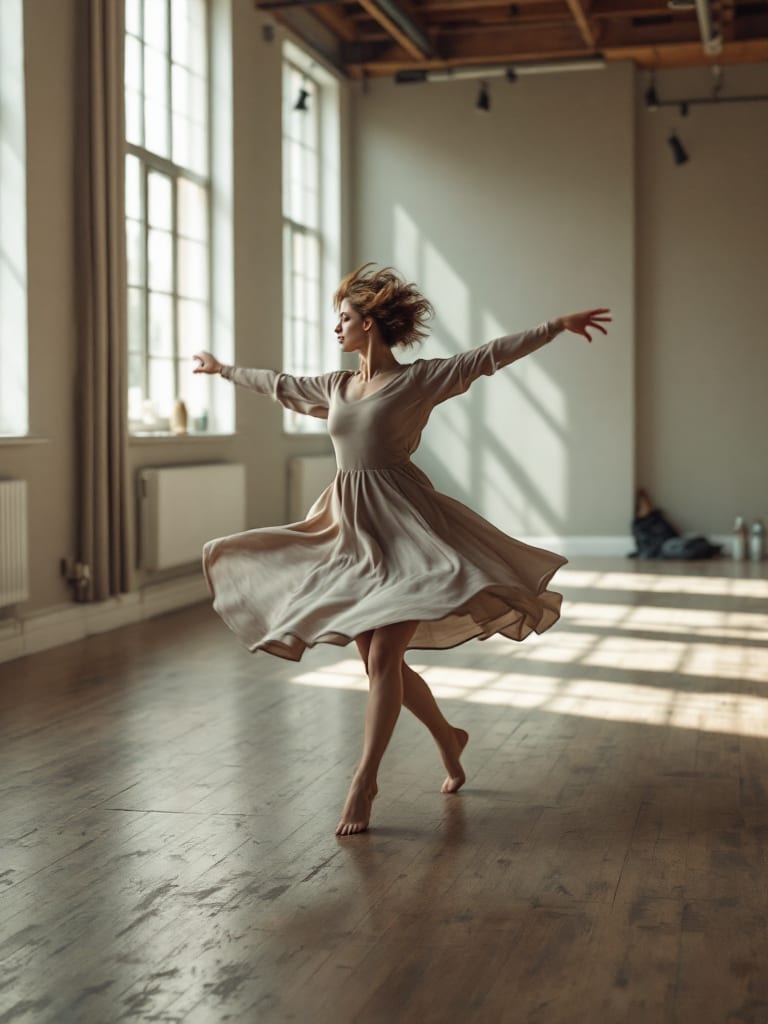
Kling Motion Control makes a new video in which the character from your picture performs the movement from a reference clip. In AIGE you pick both, and the result runs as long as your clip: up to 10 seconds, or up to 30 if the character faces like the clip. It bills in 5-second steps.
What Motion Control does
Most video models start from words or a still. Motion Control starts from a movement. You give it two things: a picture of the character, and a reference video of someone making the move, such as a dance, a gesture or a walk. You get back a new clip of your character making that move.
Kling describes it as carrying a person's movement and facial expressions from a reference onto one character in a still image. fal, the service AIGE reaches Kling through, says the character's look comes from the image and its actions follow the video. Both pages were read on 28 October 2026.
AIGE runs the Kling 3.0 version, listed in its video menu as Kling Motion Control. The what is Kling AI article covers Kling's versions and what its other clips cost, and the Kling model page has the settings table.
How to use Copy a movement in AIGE
Motion Control is a way of making in the Video editor, which is on the laptop canvas. Open the editor from a Video widget on your board (the video editor guide shows its layout), go to the Make tab and choose Copy a movement. The form has five parts:
The movement. The clip to copy: one on your timeline or board, or an upload.
The picture. The character, from the pictures on your board or an upload.
Anything to add. Optional words for the setting, the light or what they wear.
Quality. Pro or Standard. The panel starts on Pro.
Character faces. Like the picture or like the clip. The next section explains the choice.
The Make button stays off, with a one-line reason such as "Pick the clip whose movement to copy", until it has a clip and a picture. Once it is on, it carries its price. The new clip lands on the main track of your timeline and holds its place while it renders. fal says Pro mode gives higher-quality output and calls Standard the cost-effective mode, suited to portraits and simple animations.
The two facing modes and their length caps
There is no length slider. The new clip is exactly as long as the movement clip you give it, and that length is what you pay for. The one choice that sets the ceiling is which way the character faces.
Character faces | Longest movement clip | What fal says it suits |
|---|---|---|
Like the picture | 10 seconds | Following camera movements |
Like the clip | 30 seconds | Complex motions |
Like the picture keeps the character facing the way it does in your picture. Like the clip makes it face the way the person in the reference does. The panel starts on Like the picture. If your clip runs past 10 seconds, that option switches off and Like the clip takes over. Past 30 seconds the button stays off with a note to trim the clip.
Kling's guide gives 3 to 30 seconds as the supported length for the clip you upload, but only under its Video 2.6 heading; its 3.0 section states no range. So a clip under 3 seconds is outside the range Kling states. AIGE sets no minimum: it turns a clip away on length only when it runs past 30 seconds, and the price table below starts at "5 seconds or less". The same guide adds that the result can come out shorter than the upload when the motion is complex or fast. For a longer piece, cut several clips together on the timeline; how long can an AI video be sets these caps beside the other models.
What Kling Motion Control costs in AIGE
Motion Control bills on the length of your movement clip, in 5-second steps rounded up. AIGE measures the clip before it charges, and if it cannot read the length it bills the cap for the mode you picked. The steps run to 30 seconds, with a quarter second of slack, so a 10.2-second clip still bills as 10.
Movement clip | Pro | Standard | Facing |
|---|---|---|---|
5 seconds or less | 84 credits | 63 credits | Either |
Over 5 to 10 seconds | 168 credits | 126 credits | Either |
Over 10 to 15 seconds | 252 credits | 189 credits | Like the clip |
Over 15 to 20 seconds | 336 credits | 252 credits | Like the clip |
Over 20 to 25 seconds | 420 credits | 315 credits | Like the clip |
Over 25 to 30 seconds | 504 credits | 378 credits | Like the clip |
Say your dance clip runs 7 seconds. That is over 5 and under 10, so it bills as 10 seconds: 168 credits at Pro or 126 credits at Standard. If the move survives a trim to 5 seconds, the same job costs 84 credits at Pro. Standard is three-quarters of the Pro price in every step. The Make button shows the price for your clip before you run it.
Your plan matters too. In AIGE's default plan table Motion Control is not on Starter, and Pro, Premier and Max include it. Live plan settings can differ, so trust the button: when your plan lacks a setting, it names the plan that has it where the price would be. The pricing page lists the plans, and the video cost table sets Kling and other video models side by side.
When to use it, and when not to
Reach for Motion Control when you already have the move. A choreography, a gesture, a walk you filmed or found: words can only describe it, and this copies it. It also lets you run one movement clip with a different picture each time.
Skip it when you only want some movement. A still that comes to life from a sentence needs no reference clip; the image to video page shows that route. Skip it too when the scene runs past 30 seconds, or when the only reference you have breaks the rules in the next section.
Limits to know before you spend credits
These come from Kling's Motion Control guide and fal's model page, read on 28 October 2026. Kling's practical advice sits under its Video 2.6 heading, so treat it as guidance, not a promise for every clip.
One person. With several people in the movement clip, the one taking up the largest part of the frame drives the result.
One continuous shot. Kling says to avoid cuts, shot changes and camera movement, or the video may be truncated.
Steady, moderate movement. Kling says avoid overly fast motion.
Matching framing. Pair a full-body picture with a full-body clip and a half-body picture with a half-body clip, with the character's body and head visible and not blocked.
A clear picture. fal asks for clear body proportions, no occlusion and a character covering more than 5% of the image.
A realistic-style character in the clip. fal says the movement clip "should contain a realistic style character" with the entire body or upper body, head included, in view and without obstruction.
Similar subjects. Kling says results can degrade when the motion and the picture differ a lot, such as human movement on an animal.
Clip resolution. Kling's guide asks for a movement clip with a short edge of at least 340 pixels and a long edge of at most 3850.
No face binding. Kling's own page offers a way to bind a face for steadier identity. AIGE's Copy a movement form has no such control.
Honest note: the Kling and fal details come from Kling's Motion Control guide (dated 5 March 2026), Kling's feature page and fal's model pages, read on 28 October 2026, and vendors change those pages. This article shows no output and rates none, because we did not run a test set for it. Kling says a result can come out shorter than the upload; AIGE bills by the clip you give it, and we found no stated rule for the shorter case, so check the price on the button before you run.
Quick answers
Question | Answer |
|---|---|
What is Kling Motion Control? | A Kling mode that makes a clip of the character in your picture performing the movement from a reference video. In AIGE it is Copy a movement in the Video editor's Make panel. |
How long can a Motion Control video be? | As long as your movement clip: up to 10 seconds when the character faces like the picture, up to 30 when it faces like the clip. There is no length slider. |
How much does Kling Motion Control cost? | It bills your clip in 5-second steps. A clip over 5 and up to 10 seconds is 168 credits at Pro or 126 credits at Standard, and the Make button shows the price first. |
Where is Motion Control in AIGE? | In the Video editor on the laptop canvas: open it from a Video widget, choose the Make tab, then Copy a movement. |
Should I pick Pro or Standard? | fal describes Pro as the higher-quality mode and Standard as the cost-effective one. Standard costs three-quarters of the Pro price at every length. |
Does Motion Control work with any picture and clip? | Kling and fal ask for one person, one continuous shot, steady movement, matching framing and a clear picture of the character. Kling says results can degrade when the picture and the clip differ a lot. |






Comments
Be the first to comment.